 PACKAGING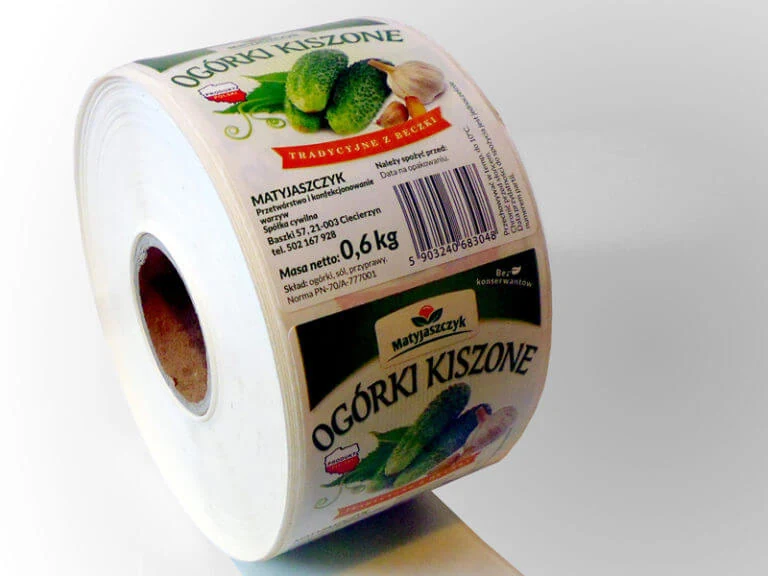
A label is not only a printed piece of paper. It is a system made of face material, adhesive, release liner, printing method, roll construction and the surface to which it is applied.
The label as a system
Problems often appear when one element is selected independently from the others. A strong adhesive cannot compensate for condensation, a paper face cannot provide film-like moisture resistance, and a correct label may still fail if the roll does not match the printer.
Direct thermal or thermal transfer?
Direct-thermal labels create the image through heat-sensitive coating and require no ribbon. They suit shorter-life applications such as shipping, weighing and warehouse identification.
Thermal-transfer labels receive the image from a ribbon. They are preferred when the print must remain legible for longer or resist handling, moisture or demanding storage conditions.
Start with the required life of the print, not the printer model. The same printer may support both technologies, but the application decides which one is appropriate.
Paper or film?
Paper is economical and suitable for many standard indoor applications. PP film is selected where moisture resistance, tear resistance and long-term appearance are more important. The most expensive material is not automatically the best one.
Why does a label lift or peel?
- Application temperature is below the adhesive specification.
- The surface is wet, dusty, oily or contaminated.
- The adhesive is wrong for the substrate.
- The label is applied to a tight curve or flexible pack.
- The product is cooled or frozen immediately after application.
- Insufficient pressure is applied during labelling.
The first step is to analyse the process, not immediately order a “stronger” adhesive.
Why does print fade or rub off?
Print durability depends on technology, face material, ribbon, abrasion, UV exposure, moisture and chemicals. Direct-thermal print is designed mainly for shorter-life applications. Thermal-transfer performance depends strongly on selecting the correct wax, wax-resin or resin ribbon.
Why does the printer miss labels?
Printers detect a gap, black mark or material change. Problems may be caused by missing calibration, an unsuitable gap, wrong sensor mode, incorrect winding direction, core diameter or excessive roll diameter.
Check before changing the label
Calibrate the printer, confirm gap or black-mark mode, verify winding direction, core diameter and maximum roll diameter.
Why does a barcode fail to scan?
A barcode is data, not decoration. It requires sufficient contrast, correct size, quiet zones, suitable printer resolution and an undamaged printhead. Always test the finished label with the scanners used in the real process.
Information required for a quotation
- Label width, height and shape
- Application surface
- Storage and application temperature
- Direct thermal, thermal transfer or pre-printed
- Paper or film face material
- Adhesive requirement
- Core diameter and maximum roll diameter
- Winding direction
- Labels per roll and total quantity
- Artwork for printed labels
Troubleshooting atlas
| Symptom | Likely cause | First check |
|---|---|---|
| Label lifts | Temperature, moisture, adhesive or substrate | Application conditions |
| Print fades | Wrong technology or ribbon | Print method and environment |
| Printer skips labels | Calibration, sensor, gap or winding | Printer calibration |
| Barcode does not scan | Contrast, size, printhead or design | Test print and scanner |
FAQ
Can a direct-thermal label be used in a freezer?
Only if the face material and adhesive are specified for the complete application. Application temperature and service temperature are different parameters.
Does every label fit every printer?
No. Core diameter, roll diameter, label dimensions, gap or black mark and winding direction must match the equipment.
What artwork should be supplied for printed labels?
An editable PDF is preferred. A JPG or PNG can be attached as a visual reference.
Select the label as a complete system: product, surface, environment, print technology, material, adhesive and roll parameters.
Need labels for a specific product or printer?
Send the application details and equipment model. We will help define the correct specification.
Request a quote →